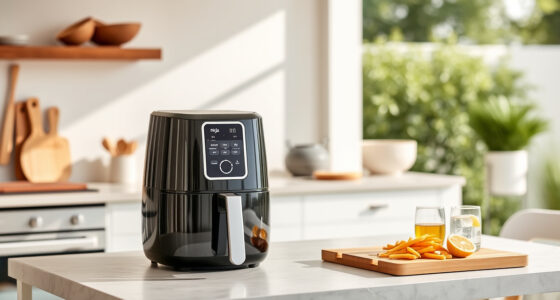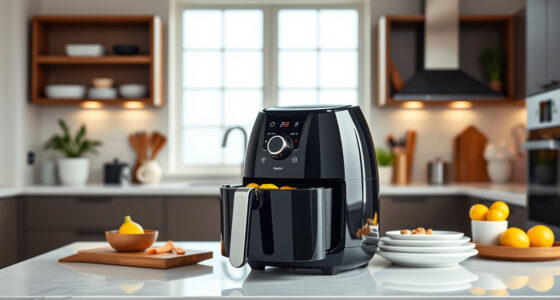

If your COSORI air fryer is displaying error codes, it can be frustrating and disrupt your cooking plans. These codes often indicate specific issues that can usually be fixed with some simple troubleshooting steps. Understanding what causes these errors and how to address them can save you time and potentially costly repairs.

Get kitchen staples and gadgets delivered free with Prime
- Fast, free delivery on millions of items
- Prime Video, Amazon Music and more included
- Member-only deals all year
In this guide, we’ll walk you through practical, safe steps to identify and fix common error codes on your COSORI 9-in-1 TurboBlaze Air Fryer. Whether it’s a temperature sensor issue, wiring problem, or control board glitch, you’ll find clear instructions to get your appliance back in working order quickly.
Key Takeaways
| Identify error codes accurately | Understanding specific codes helps target the fix. |
| Check connections and sensors | Loose wires or dirty sensors can trigger errors. |
| Reset and clean your air fryer | A simple reset or cleaning often clears error states. |
| Avoid common pitfalls | Always unplug before troubleshooting to ensure safety. |
Understanding Common Error Codes
Your COSORI air fryer may display various error codes indicating different issues. For example, an error code might point to a temperature sensor problem, a wiring fault, or a control board malfunction. Refer to your user manual for a list of specific codes and their meanings. Recognizing what each code signifies helps you prioritize troubleshooting steps effectively.
Most error codes are triggered by conditions such as overheating, sensor disconnection, or power supply issues. Accurate diagnosis is key to fixing the problem safely and efficiently.
Step 1: Power Cycle and Reset
- Unplug the air fryer from the power outlet.
- Wait at least 5 minutes to allow internal components to reset.
- Plug the appliance back in and turn it on to see if the error persists.
This simple reset can clear temporary glitches that cause error codes. If the error remains, proceed to the next troubleshooting step.
Step 2: Inspect and Clean Sensors and Connections
- Open the air fryer’s exterior panel carefully as per your user manual.
- Check the temperature sensors for dirt, grease, or food debris. Clean gently with a soft, damp cloth.
- Inspect wiring and connectors for looseness, corrosion, or damage. Reconnect any loose wires securely.
Dirty sensors or loose connections can cause false error signals. Regular cleaning and inspection help maintain proper functioning.
Step 3: Check for Overheating or Blockages
Ensure the air intake and exhaust vents are free of dust, grease, or obstructions. Clear any blockages that might impair airflow, which can trigger overheating errors.
Allow the unit to cool down if it feels hot before testing again. Proper ventilation extends the lifespan of your appliance and prevents recurring errors.
Step 4: Update Firmware or Reset to Factory Settings
If your model supports firmware updates via smartphone app, check for the latest version and update as needed. Additionally, perform a factory reset if available, following your user manual instructions. This can resolve software glitches causing persistent error codes.
When to Seek Professional Repair
If you’ve tried all troubleshooting steps and the error code still appears, it may indicate a faulty control board or internal component that requires professional repair. Contact COSORI customer support or a certified technician for assistance. Do not attempt to replace internal parts yourself unless you are qualified, as this can be dangerous.
The Products in This Guide

Cosori 9-in-1 TurboBlaze Air Fryer 6 Qt
- ✔ Dimensions: 14.2 x 11.4 x 13.5 inches
- ✔ Weight: 15.4 pounds
- ✔ Warranty: 1 year

ALJ 3PCS Air Fryer Oven Mesh Rack
- ✔ Weight: 1.2 pounds
- ✔ Dimensions: 12 x 8 x 1 inches
- ✔ Material: Stainless Steel
Cosori 9-in-1 TurboBlaze Air Fryer 6 Qt
<p>The COSORI 9-in-1 TurboBlaze Air Fryer offers powerful features like TurboBlaze Technology and precise temperature control, making it a great choice for versatile home cooking. Its error codes can be solved with simple troubleshooting, helping you maintain its performance over time.</p>
Pros:
- Powerful TurboBlaze Technology for crispy results
- Smart control via app
- Wide temperature range up to 450°F
- Multiple cooking functions
Cons:
- Error codes may occasionally require reset
- Complex repairs require professional help
- Learning curve for new users
Best for: Cooking enthusiasts seeking a multifunctional air fryer
Not ideal for: Users uncomfortable with troubleshooting or internal repairs
Bottom line: A versatile and powerful air fryer with manageable error troubleshooting.
ALJ 3PCS Air Fryer Oven Mesh Rack
<p>The ALJ 3PCS Air Fryer Oven Mesh Rack is a helpful accessory for maintaining your COSORI air fryer. It improves airflow and makes cleaning easier, reducing the likelihood of error triggers caused by buildup or improper placement.</p>
Pros:
- Improves air circulation
- Dishwasher safe
- Made of food-grade stainless steel
- Easy to install
Cons:
- Adds to total space needed
- Requires extra cleaning
- Not compatible with all models
Best for: Prolonging your air fryer’s life and ensuring even cooking
Not ideal for: If you prefer minimal accessories or own a different model
Bottom line: A practical accessory to improve airflow and ease cleaning in your air fryer.
Frequently Asked Questions
What do I do if my COSORI air fryer displays an error code?
Unplug the air fryer, wait a few minutes, then perform a reset. Check sensors and wiring for dirt or looseness. Refer to the manual for specific code meanings.
Can I fix internal parts myself?
Only if you are qualified; otherwise, contact professional repair services. Always unplug before opening or inspecting the unit.
How often should I clean my air fryer sensors?
Regularly, every 2-3 weeks, or whenever you notice inconsistent cooking or error codes. Use a soft cloth and avoid harsh chemicals.
Are error codes related to overheating?
Yes, some error codes can indicate overheating or airflow issues. Ensure vents are clear and clean regularly.
Will updating firmware fix persistent error codes?
If your model supports firmware updates, installing the latest version can resolve software glitches causing errors.
Keeping Your COSORI Air Fryer Error-Free and Cooking Perfectly
Dealing with error codes can be a hassle, but most issues are fixable with simple troubleshooting steps. Regular maintenance, proper cleaning, and understanding your appliance’s signals will help keep your COSORI air fryer in top shape. Should problems persist, professional support is the safest route to ensure your device remains reliable for years to come.
Affiliate disclosure: As an Amazon Associate we earn from qualifying purchases. Prices and availability are accurate as of the time of publishing.
Halloween Picks
halloween
As an affiliate, we earn on qualifying purchases.