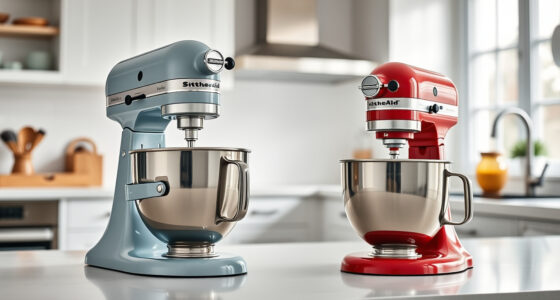

If your KitchenAid Artisan Series 5 Quart Tilt Head Stand Mixer isn’t tilting back as it should, it can hinder your cooking and baking. This issue often stems from mechanical or alignment problems that are fixable with some simple troubleshooting. In this guide, you’ll find clear, step-by-step instructions to diagnose and resolve the tilt-back issue efficiently and safely, so you can get back to your favorite recipes without frustration.

Get kitchen staples and gadgets delivered free with Prime
- Fast, free delivery on millions of items
- Prime Video, Amazon Music and more included
- Member-only deals all year
Before diving into the repair, ensure you have basic tools like a screwdriver and possibly a replacement part if needed. Always unplug the mixer before working on it to prevent any accidental injury or damage. This guide will help you identify common causes and fix the problem with confidence.
Key Takeaways
| Basic Troubleshooting | Identify if the tilt mechanism is jammed or misaligned. |
| Check for Obstructions | Remove any debris or food buildup around the tilt hinge. |
| Inspect the Tilt Lock | Ensure the tilt lock mechanism is functioning correctly. |
| Consider Mechanical Wear | Replace worn or broken parts if necessary. |
| Regular Maintenance | Keep the hinge area clean and lubricated for smooth operation. |
Step 1: Unplug and Prepare Your Mixer
- Ensure the mixer is unplugged from the power outlet to prevent any electrical hazards.
- Remove any accessories, including the pouring shield and attachments, to access the tilt mechanism easily.
- Place the mixer on a stable, flat surface for safe handling during the repair process.
Step 2: Inspect the Tilt Head and Hinge Area
Gently tilt the head back and observe the hinge area for any visible obstructions, debris, or food buildup. Clear away any debris with a soft cloth or brush. Check if the hinge moves freely or feels stuck. If the hinge is sticky or tight, it may need lubrication or adjustment.
Step 3: Check the Tilt Lock Mechanism
- Locate the tilt lock lever, usually on the side of the mixer.
- Ensure it fully engages and releases when operated. If it’s loose or doesn’t lock properly, it may cause the head to not tilt back.
- Test the lock by moving it while gently tilting the head. If the lock doesn’t hold or feels broken, further inspection or replacement is necessary.
Step 4: Examine for Mechanical Wear or Damage
Look for signs of wear, cracks, or broken parts in the hinge assembly. Over time, the hinge spring or locking components can wear out, preventing proper tilting. If any parts are damaged, they should be replaced. Consult the user manual or contact a service technician for specific part replacements.
Step 5: Lubricate Moving Parts
If the hinge feels stiff but not broken, apply a small amount of food-grade lubricant or silicone spray to the hinge joint. Operate the tilt mechanism several times to distribute the lubricant evenly. Avoid over-lubricating, which can attract dirt or debris.
Step 6: Reassemble and Test
Once all inspections and adjustments are complete, reassemble any removed parts. Plug the mixer back in and carefully tilt the head. Confirm that it tilts back smoothly and locks securely in place. Repeat the process if necessary to ensure proper operation.
The Products in This Guide

KitchenAid Artisan Series 5 Quart Tilt Head Stand Mixer
- ✔ Weight: 26 pounds
- ✔ Dimensions: 14 x 8 x 14 inches
- ✔ Power: 275 watts

KitchenAid Stand Mixer Attachment
- ✔ Power: Uses mixer motor
- ✔ Attachability: Easy to connect
- ✔ Storage: Includes storage case
KitchenAid Artisan Series 5 Quart Tilt Head Stand Mixer
The KitchenAid Artisan Series 5 Quart Tilt Head Stand Mixer is built for longevity with a durable metal construction. Its tilt-head design makes ingredient addition easy, and the hinge mechanism is designed for smooth operation. If your mixer refuses to tilt back, following these steps can restore its functionality efficiently.
Pros:
- Solid metal construction for durability
- Easy access for ingredient addition
- Smooth tilt-head operation when functioning properly
- Wide range of color options
Cons:
- Hinge can get sticky or jammed over time
- Requires careful inspection for repair
- Potential for mechanical wear
Best for: Home bakers and cooks who need a reliable, stylish stand mixer with easy tilt-head access.
Not ideal for: If your mixer has severe mechanical damage or electrical faults, professional repair may be needed.
Bottom line: Most tilt-back issues stem from hinge or lock problems that can often be fixed with simple cleaning or replacement.
KitchenAid Stand Mixer Attachment
Adding a food grinder attachment can expand your KitchenAid mixer’s capabilities, making fresh ground meat, vegetables, and more. It connects easily to the power hub and is built with durable metal components for reliable performance.
Pros:
- Creates fresh, flavorful ground foods
- Includes multiple grinding plates
- Easy to attach and clean
- Enhances your culinary versatility
Cons:
- Requires extra space for storage
- Additional cost for attachments
- Needs pre-chilling for best results
Best for: Home cooks wanting to process fresh ingredients with their mixer.
Not ideal for: Not suitable for heavy commercial use or large-scale food processing.
Bottom line: A versatile attachment that makes grinding and processing ingredients quick and easy.
Frequently Asked Questions
Why won’t my KitchenAid tilt head lock in place?
This can be caused by debris or misaligned parts. Cleaning the hinge area and inspecting the lock mechanism often resolves the issue.
Can I lubricate the hinge to fix stiffness?
Yes, applying a small amount of food-grade silicone spray or lubricant can help if the hinge feels stiff but is not broken.
What should I do if parts are broken or worn out?
Replace damaged parts with genuine KitchenAid replacement components or consult a professional technician for repairs.
Is it safe to repair the mixer myself?
Yes, as long as you unplug the mixer and follow safety precautions, most minor repairs like cleaning and lubrication are safe for DIY.
How often should I clean the hinge area?
Regular cleaning after use helps prevent buildup and keeps the tilt mechanism operating smoothly. Once a month or as needed is recommended.
Keep Your Mixer Tipping Smoothly
Maintaining your KitchenAid Artisan Series tilt head mixer ensures it functions reliably. Regular cleaning, inspection, and timely replacement of worn parts can prevent tilt-back issues. Follow these troubleshooting steps to restore your mixer’s performance safely and efficiently, and enjoy baking and cooking with ease for years to come.
Affiliate disclosure: As an Amazon Associate we earn from qualifying purchases. Prices and availability are accurate as of the time of publishing.
Halloween Picks
halloween
As an affiliate, we earn on qualifying purchases.